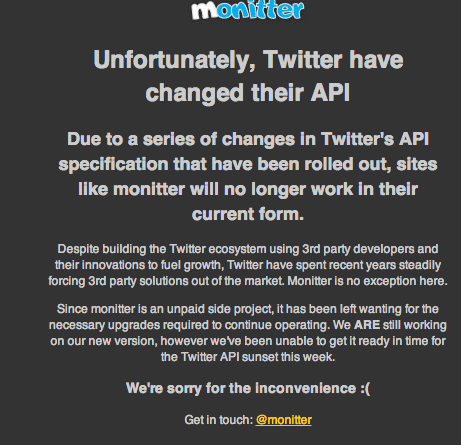
A nice press release from the Twubs folks…the place to go to easily manage hashtags and searches. I have to admit to some level of irritation at Twitter for nuking their API which makes it possible for 3rd parties to connect, including ones as friendly as Monitter.com and others that are swiftly fading from memory. What causes the irritation, you ask? The fact that Twitter did not make a web gadget that offers the same functionality as a site like Monitter. That functionality includes multi-column view of Twitter searches–as well as RSS feeds based on Twitter searches–that you can easily embed in a web site.
As terrible as that news is, it’s old hat. In the meantime, we can take advantage of Twubs.com, which offers the ability to search on a tag and embed that search in a page…for example, a search #ipdlza13 for iPadPalooza 2013 Conference ends up like this:

But what if you wanted to see several columns of hashtag searches? Try this…create a table using a free app like Kompozer (or GoogleDocs) then paste in the embed code for a hashtag from Twubs.com…here’s where you can find the embed code for each of the hashtags represented in the table below…be sure to replace the bold hashtag with your own choice!
- http://twubs.com/ipdlza13/embed
- http://twubs.com/edtechchat/embed
- http://twubs.com/iste13/embed
| #ipdlza13 | #edtechchat | #iste13 |
|
||||||
|
||||||
|
||||||
|

Check out Miguel’s Workshop Materials online at http://mglearns.wikispaces.com

var _gaq = _gaq || []; _gaq.push([‘_setAccount’, ‘UA-3445626-5’]); _gaq.push([‘_setDomainName’, ‘mguhlin.org’]); _gaq.push([‘_trackPageview’]); (function() { var ga = document.createElement(‘script’); ga.type = ‘text/javascript’; ga.async = true; ga.src = (‘https:’ == document.location.protocol ? ‘https://ssl’ : ‘http://www’) + ‘.google-analytics.com/ga.js’; var s = document.getElementsByTagName(‘script’)[0]; s.parentNode.insertBefore(ga, s); })();
Discover more from Another Think Coming
Subscribe to get the latest posts sent to your email.
 Another Think Coming